
1. Finding it
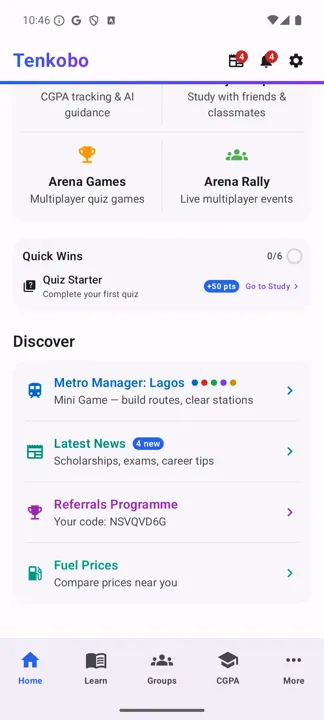
Metro Manager lives on the Home screen — scroll down past your study cards.
2. The goal in one sentence
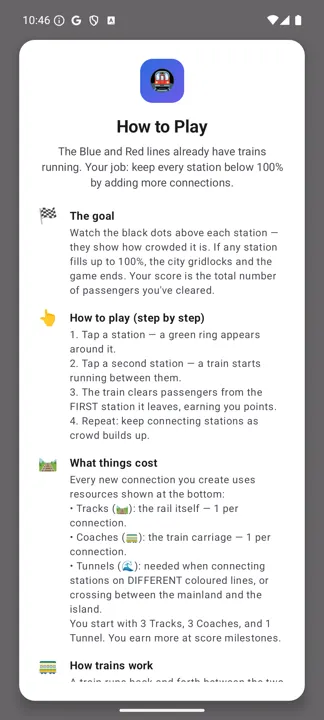
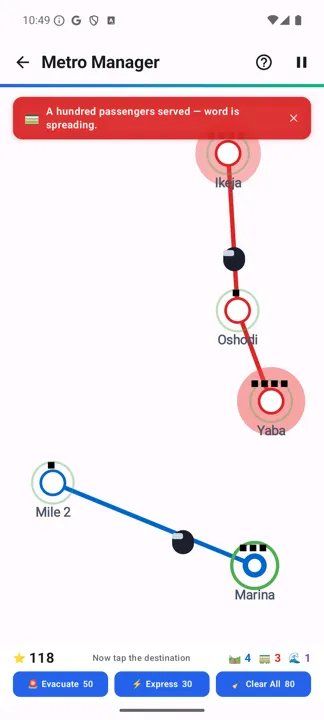
Keep every station below 100%. Black dots above each station show how crowded it is. If any station fills completely, the city gridlocks and the game ends. Your score is the total number of passengers you've cleared.
3. Playing — tap, tap, train
The Blue and Red lines already have trains running when you start. You add the rest.
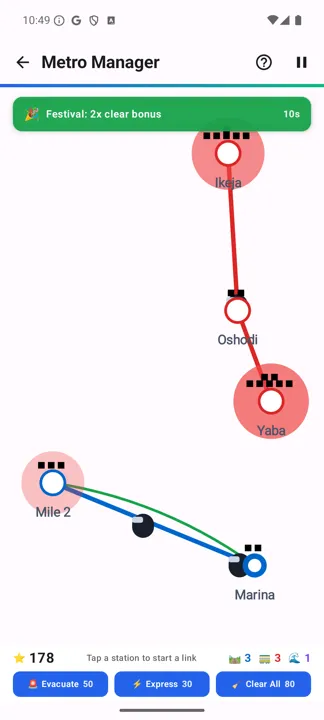
- Tap a station. A green ring appears around it.
- Tap a second station. A train starts running between the two.
- Points arrive. The train clears passengers from the first station it leaves.
- Repeat. Keep connecting as the crowds build.
4. What connections cost
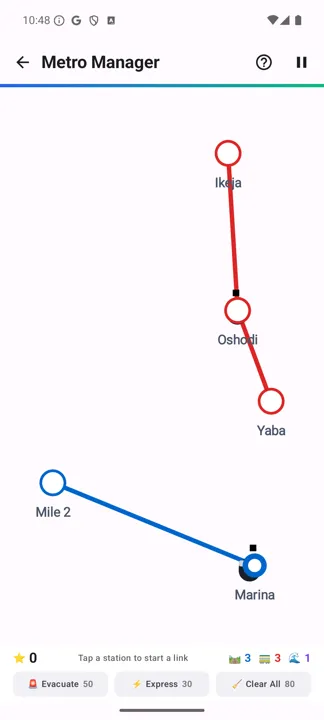
Every new connection spends from the three resources shown along the bottom bar. You start with 3 tracks, 3 coaches and 1 tunnel, and earn more at score milestones.
- Tracks — the rail itself. One per connection.
- Coaches — the carriage. One per connection.
- Tunnels — needed only when you connect stations on different coloured lines, or cross between the mainland and the island. You start with one.
5. Unlocking new lines
Score opens up the map:
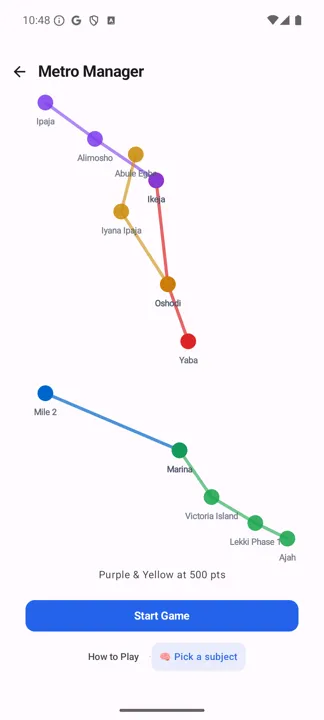
- 200 points — the Green Line opens along the Lekki corridor: Marina, Victoria Island, Lekki Phase 1 and Ajah, with an automatic train.
- 500 points — the Purple and Yellow lines open.
Each new line means more stations to connect and more trains running without your help.
6. Events and emergency buttons
The city interrupts you. Each event lasts 8–15 seconds; tap the banner to dismiss it.
- Breakdown — trains may stall.
- Rush Hour — passengers arrive twice as fast.
- Strike — some stations stop producing passengers.
- Festival — trains clear double passengers. The one to enjoy.
Three buttons on the bottom bar spend score to buy your way out of trouble:
- Evacuate (50 pts) — quickly reduces crowding.
- Express (30 pts) — boosts every train's speed for 45 seconds.
- Clear All (80 pts) — resets every station to zero. Save it for a real emergency.
7. The study connection
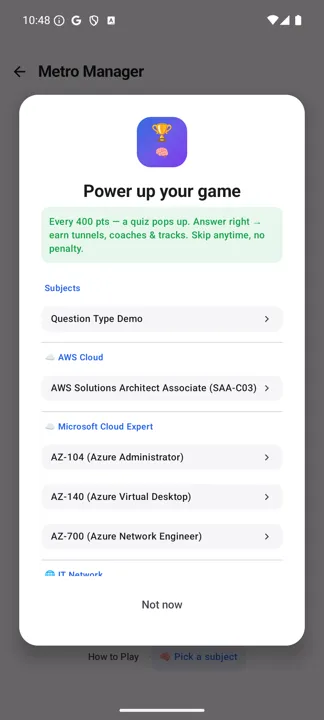
This is a study app, and the game knows it. Every 400 points a quiz appears. Answer correctly and you earn tracks, coaches and tunnels — the resources you need to keep expanding. Skip it any time; there's no penalty.
8. Gridlock, pause and resume
When a station hits 100%, that's the end of the run.
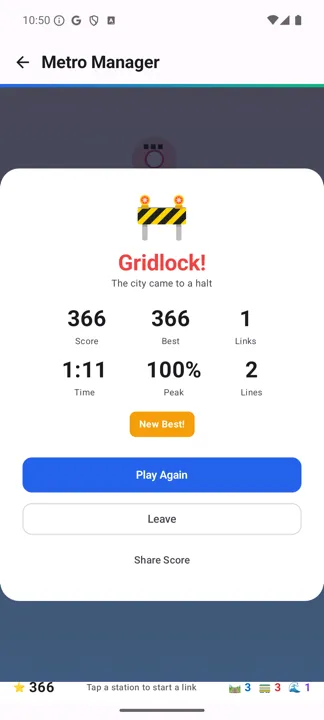
How this run was lost — and it is the commonest way to lose.
366 points, one link, and one tunnel still unspent. The station that filled was Yaba, at the end of the Red line on the mainland. Its only neighbour was Oshodi, already served, so no same-line connection could drain it — and passengers kept arriving.
The move was Yaba to Marina: different line, and across to the island, so it needed the tunnel. That is precisely what the tunnel exists for. It sat unused while the station it could have rescued filled to 100%.
The habit worth building: when a station's crowd is climbing and it has no same-line neighbour left, that is the tunnel's moment. Saving it for later means losing before later comes.
Screens captured on Android. Station crowding, events and unlocks vary every run.