
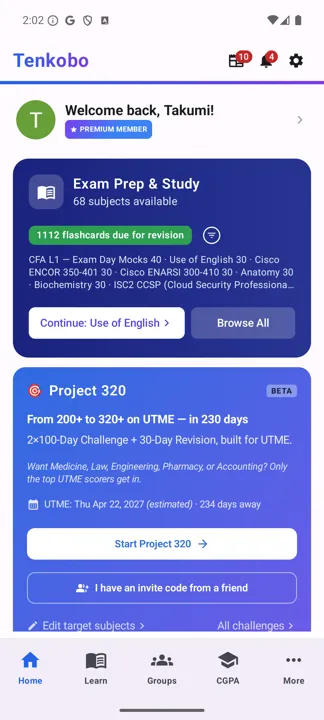
Starting one
- 1
Choose where it lives.
Create a study group or use an existing one. You can do it solo and invite friends later — the group is for accountability, not a requirement.
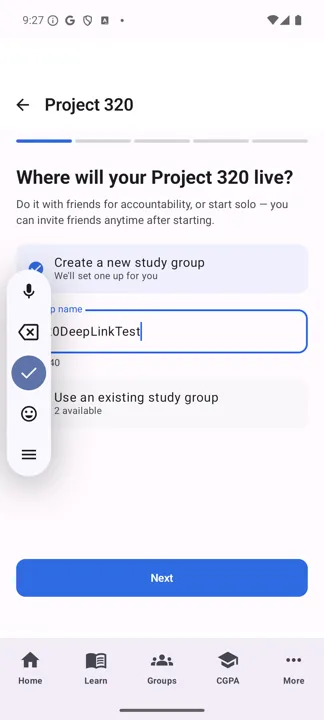
Step 1 — where it lives. - 2
Pick your Phase 1 subject.
You study English plus one other subject for the first 100 days; the app recommends the most content-heavy one, since that's what benefits most from a deep dive. Your other two subjects run in Phase 2, and all four mix in the revision.
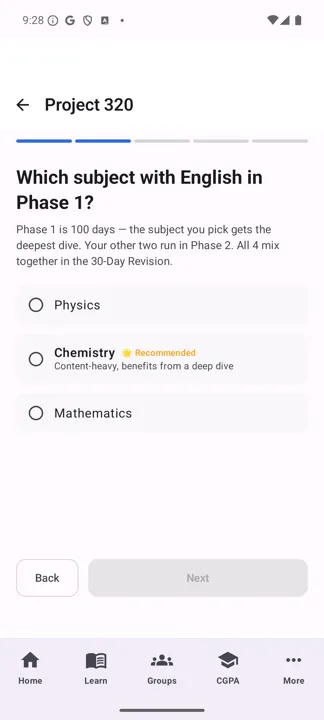
Step 2 — your Phase 1 subject. - 3
Set the start date.
The default gives friends a few days to join. "Start today instead" begins immediately. The app warns you if a late start leaves no room for Phase 2 and revision before your exam.
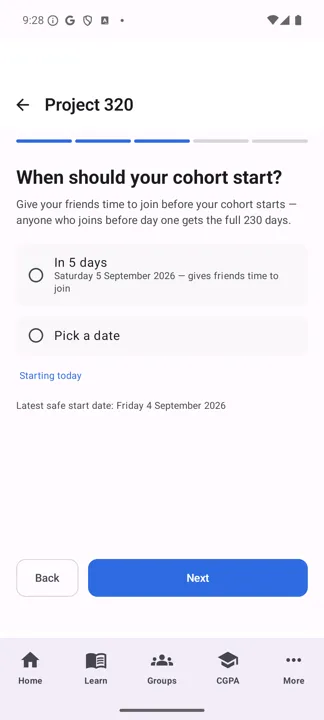
Step 3 — when it starts. - 4
Name it.
You'll see this name every day for 230 days, and so will your group.
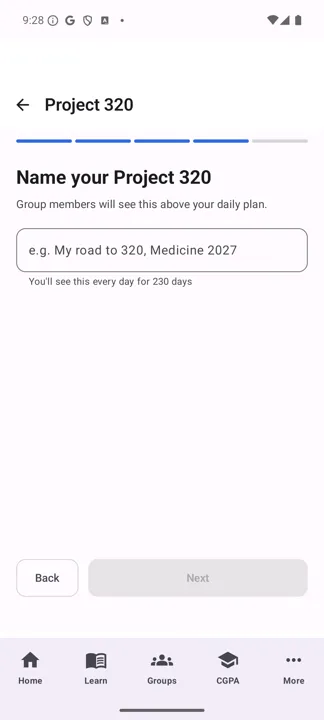
Step 4 — what it's called. - 5
Check the roadmap and start.
Last chance to see all three phases and your exam date before committing.
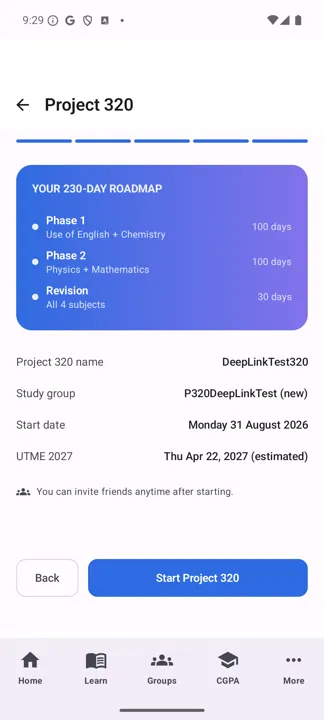
Step 5 — the whole plan before you commit.
Your daily plan
From then on, Project 320 opens straight to today. Each day is a short checklist across your two active subjects — read, use a visualisation, practise, then a mock — with a time estimate on every item and a running total at the top.
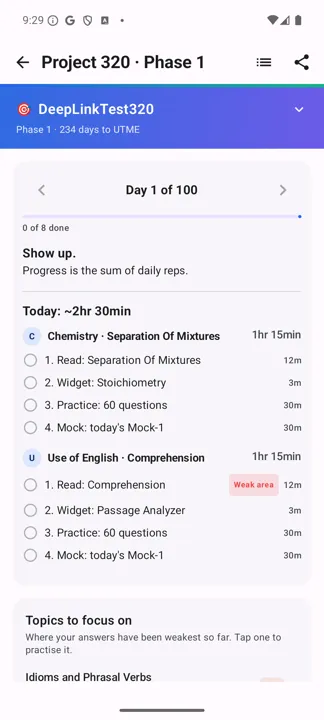
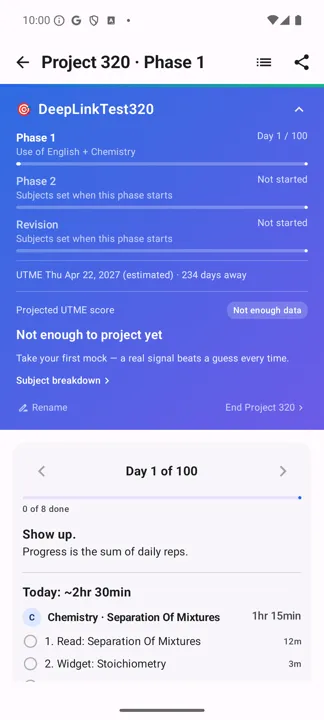
Sharing your progress
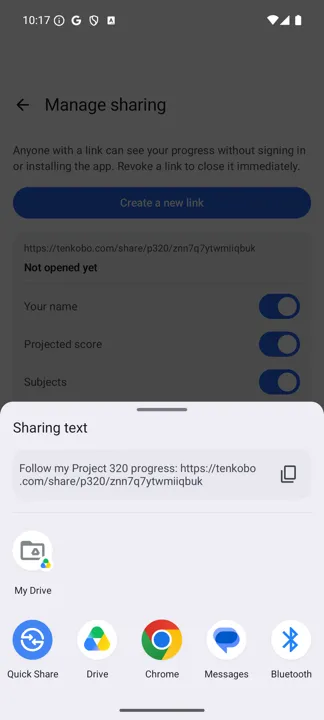
You can publish a link that family or friends open in any browser — no login, no app install. Tenkobo creates the link and hands it to your phone's share sheet.
Stopping
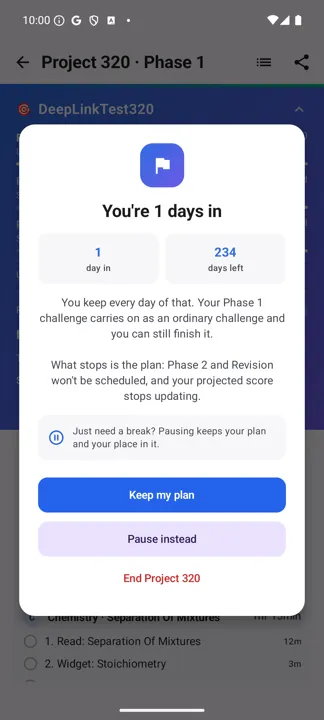
If it isn't working out, End Project 320 is on the expanded roadmap banner. It tells you what you keep and what you lose before you confirm: the days you've done stay done and your Phase 1 challenge carries on as an ordinary challenge — what stops is the plan ahead of you and the score projection. There's a Pause instead option on the same screen if you just need a break.
Start your run at 320+
Project 320 lives inside Learn. O-Level is free through 31 December 2026.
Get TenkoboScreens captured on Android. Your own numbers, subjects and dates will differ.